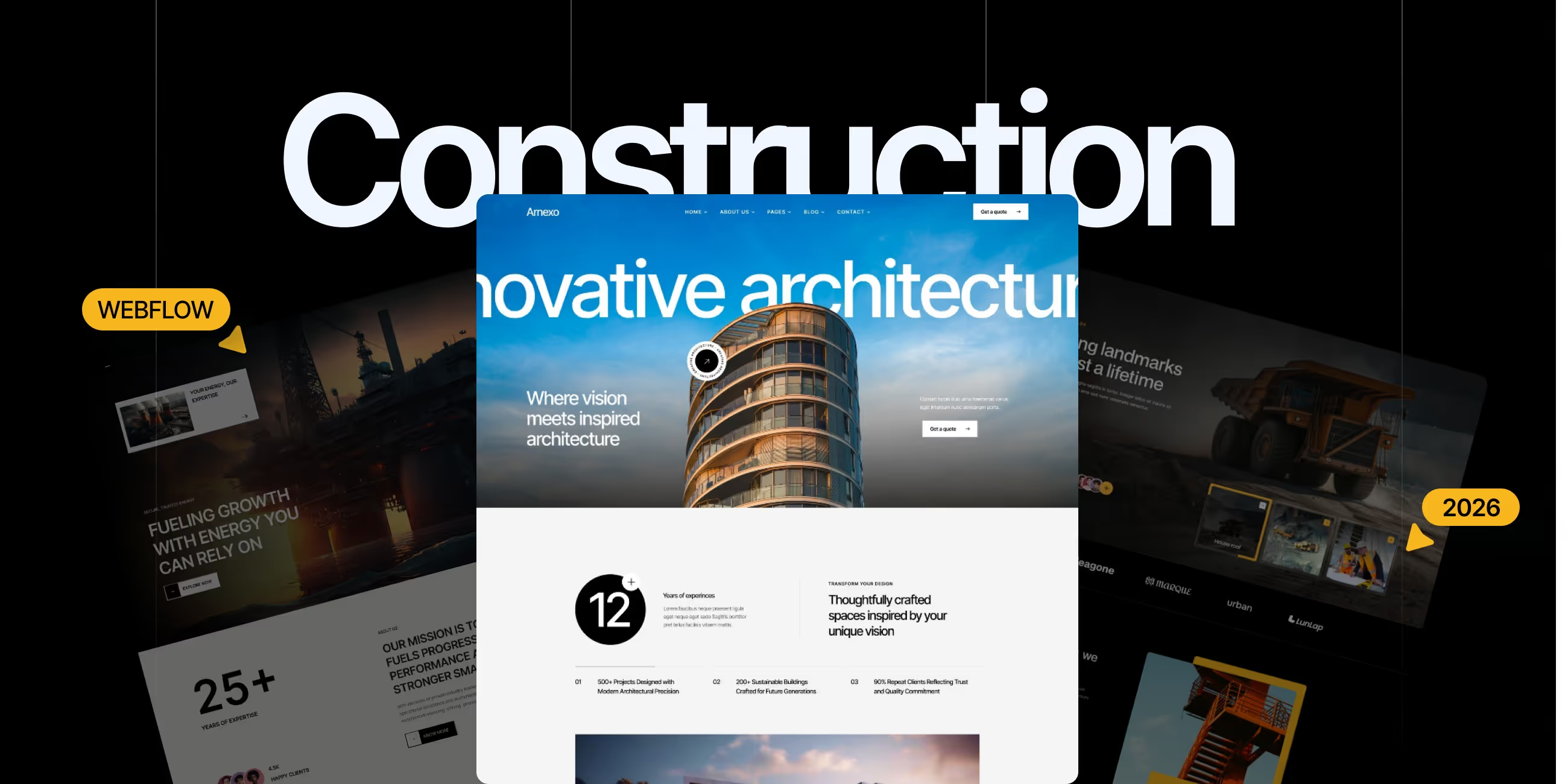
Your practical guide to choosing construction website templates that actually win bids. Real reviews, no fluff, and advice from someone who understands what construction company websites need to do.
Let's talk about construction company websites for a minute. Most of them look like they were designed in 2008 and haven't been updated since. Grainy project photos you can barely see, outdated service lists, contact forms that don't work on phones, and "under construction" jokes that stopped being funny a decade ago.
Meanwhile, general contractors and property developers are comparing companies online right now. If your site looks outdated or unprofessional, they're assuming your work quality matches. Fair or not, that's reality.
You don't need to hire a $15,000 web agency to fix this. You need webflow templates for construction companies—professionally designed, built specifically for contractors and builders, and ready to showcase your projects properly. Templates that make your company look established and capable, even if you're still building your client base.
Let's look at what actually wins you construction projects.
Construction isn't like selling software or consulting services. Clients want to see proof you can actually build things. They're judging your capability based on photos of completed projects, understanding of complex work, and professional credibility.
Your website needs to demonstrate competence immediately. Show finished projects that look impressive. Explain your services clearly without overwhelming technical details. Make it easy for project managers to reach you when they're ready to request quotes.
That's why professional webflow construction templates focus on project galleries, service clarity, and credibility signals. They understand that in construction, your portfolio speaks louder than marketing copy, and mobile optimization matters because people browse sites on job sites.
Price: $129 USD
Best for: Industrial construction, energy projects, heavy commercial work
Rating: ⭐⭐⭐⭐⭐ (5/5)
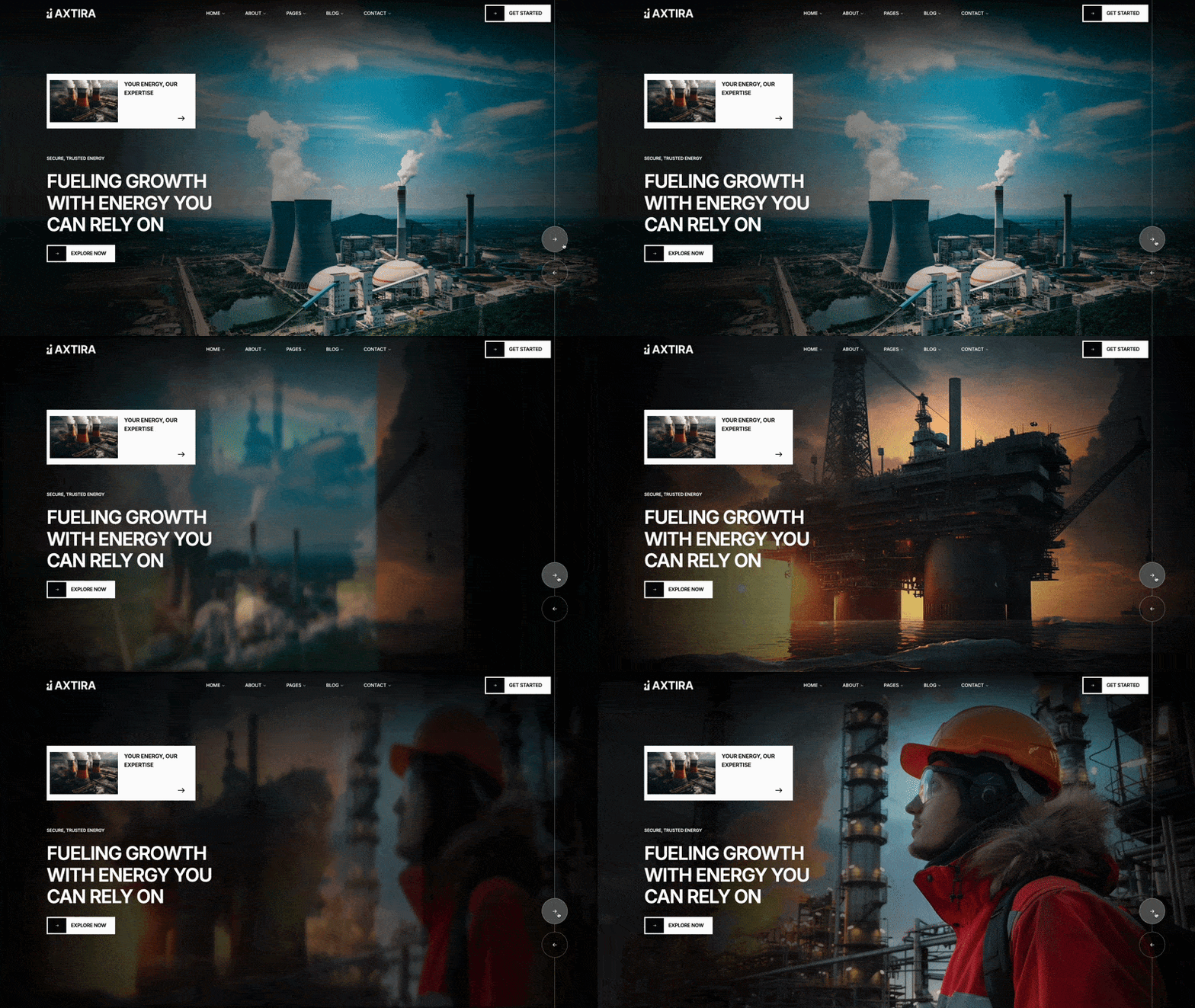
Axtira is purpose-built for serious construction work. If you're building industrial facilities, energy infrastructure, or large commercial projects, this template speaks that language. The design conveys capability and scale—exactly what clients hiring for major projects want to see.
Axtira uses strong, professional design that matches the industrial sector. Large project images dominate layouts—showing the scale of work you handle. The template includes sections for safety certifications, equipment capabilities, and technical expertise.
Three homepage options let you emphasize different aspects. Lead with your biggest projects for impact-focused clients. Emphasize safety and compliance for regulated industries. Show technical capabilities for engineering-focused work.
Pick Axtira if you're working on industrial, energy, or large commercial projects where scale and capability matter. The template helps you compete for major contracts by demonstrating you can handle complex, large-scale work. Works especially well for companies bidding on government or enterprise projects.
Price: $129 USD
Best for: Architects, design-build firms, high-end residential construction
Rating: ⭐⭐⭐⭐⭐ (5/5)
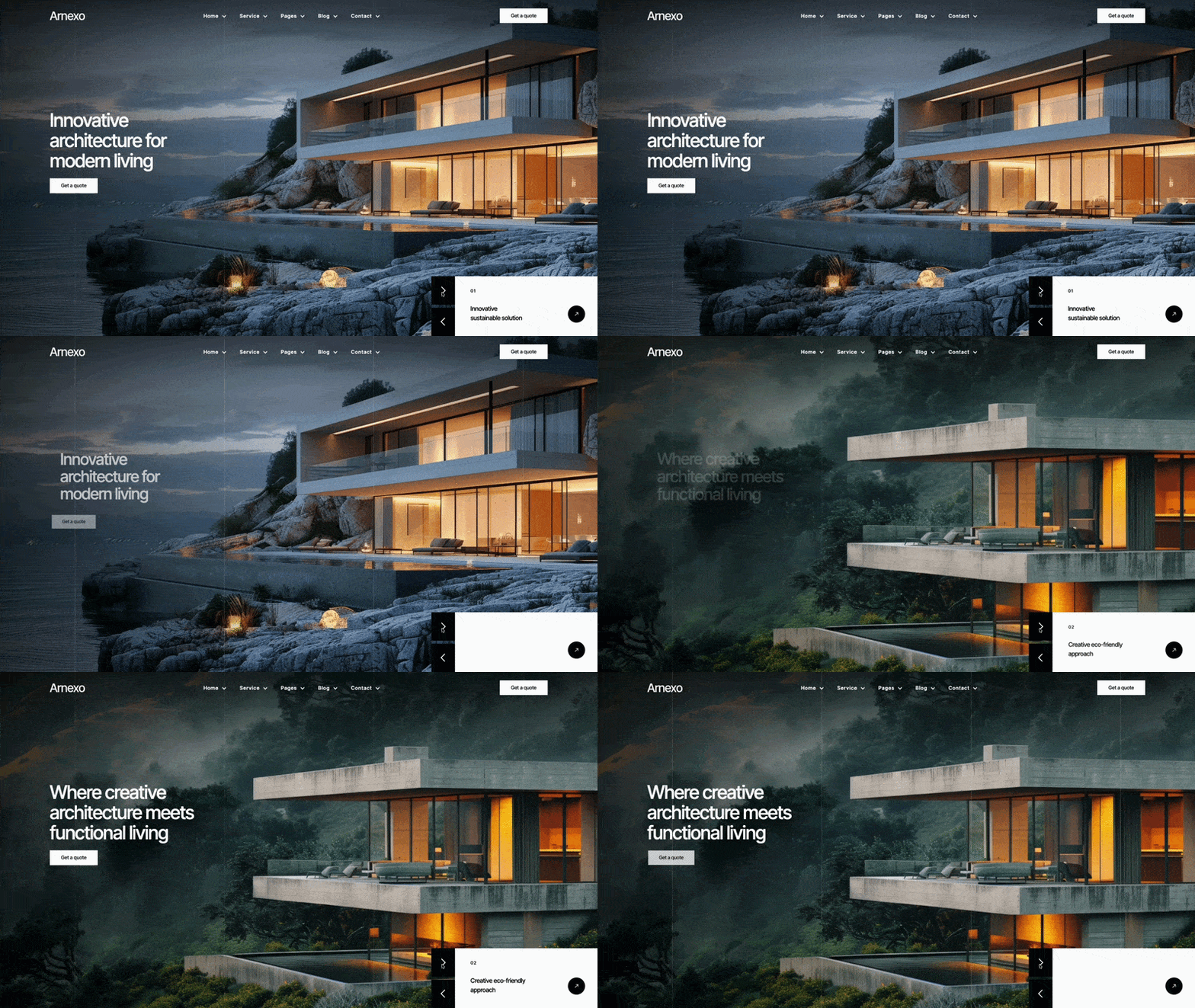
Arnexo bridges architecture and construction beautifully. If you're a design-build firm, architect-led construction company, or builder working on high-end residential projects, this template presents your work as the premium product it is. The design emphasizes aesthetics and craftsmanship.
Arnexo uses sophisticated, minimal design that lets your projects be the focus. Clean layouts, generous white space, and large photography present work as architectural achievements. The template works whether you're showing modern residential, commercial interiors, or renovation projects.
Project pages include detailed descriptions, design narratives, and before/after comparisons. The layout helps clients understand not just what you built, but why design decisions were made.
Choose Arnexo if design and aesthetics are core to your construction business. Works great for firms where the architect-builder relationship is central, or custom builders serving discerning residential clients. The template helps you position as the premium choice in your market.
Price: $129 USD
Best for: General contractors, commercial builders, residential construction
Rating: ⭐⭐⭐⭐½ (4.5/5)
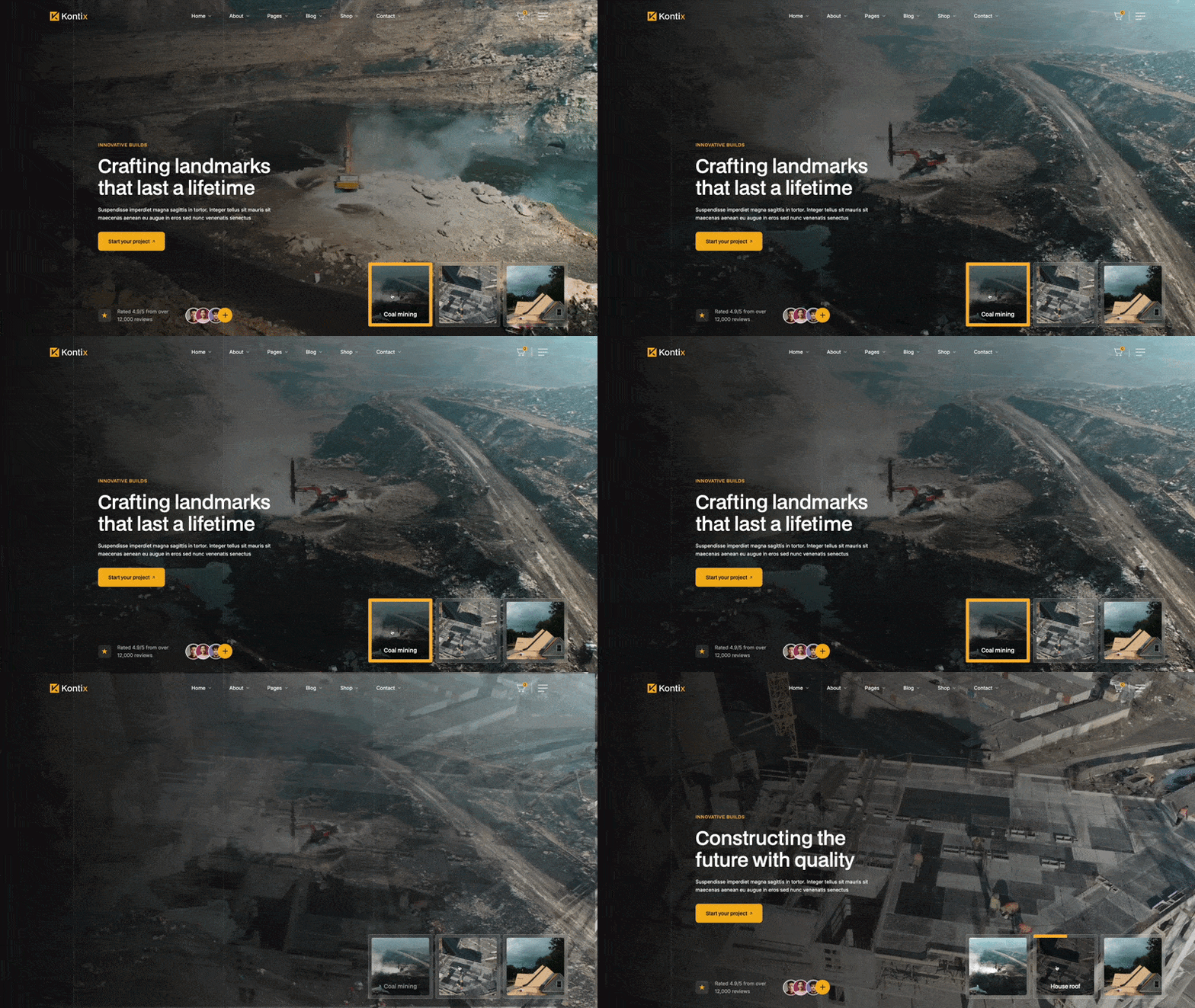
Kontix is the all-purpose construction template. Whether you're a general contractor handling various project types, a commercial builder, or residential construction company, this template covers your needs without being too specific. It's built for construction companies that need to present diverse capabilities professionally.
Kontix uses clean, modern design that works across construction sectors. The template balances professionalism with approachability—important for contractors serving both commercial and residential markets. Layouts are straightforward and functional.
Project displays work well for mixed portfolios. Show apartment renovations alongside office buildouts. Present new construction next to remodeling projects. The flexibility helps general contractors present diverse experience.
Pick Kontix if you're a general contractor or construction company working across multiple project types. The template helps you look professional without limiting you to one construction specialty. Works well for growing companies that need flexibility as they expand service offerings.
Custom website development takes 4-6 months minimum. That's half a year where potential clients are visiting your outdated site or finding nothing but your company name. How many bid opportunities are you losing to contractors with professional online presence?
Affordable webflow templates for contractors let you launch in 1-2 weeks. Not a "coming soon" page—an actual working site showcasing your projects, services, and credentials. Start competing for better projects this month, not next year.
Someone who builds construction websites designed these templates. They know what project managers look for. How to display project portfolios. Where to put certifications. What makes someone request a quote.
You get years of construction marketing knowledge baked into the structure. The project gallery layouts. The service descriptions. The credential displays. All tested with actual construction companies.
You're a construction company, not a web design firm. Your time is valuable—every hour spent on website perfection is an hour not managing projects or bidding new work.
Templates let you check "professional website" off your list and get back to construction. Update project galleries when you finish jobs. Add new services when you expand capabilities. Launch good enough now, perfect when you have downtime.
Different construction specialties need different presentations.
Industrial/commercial heavy: Axtira
Design-build/architectural: Arnexo
General contractor/mixed: Kontix
Don't force a template that doesn't match your actual work. Industrial clients and residential homeowners have different expectations.
What size projects do you typically handle?
Large-scale commercial/industrial: You need templates emphasizing capability and scale
Mid-market commercial: Balance professionalism with approachability
Residential/renovation: Focus on craftsmanship and customer service
Who are you trying to win work from?
Property developers: They want to see similar projects, timeline reliability, cost control
Commercial tenants: They need fast turnarounds, minimal disruption, quality work
Homeowners: They're looking for trust, communication, beautiful results
Day 1-2: Brand basics (colors, logo)
Day 3-4: Add your 8-10 best completed projects with photos
Day 5: Write clear service descriptions (no jargon)
Day 6: Add certifications, licenses, insurance info
Day 7: Test quote forms, launch
That's enough to look professional. Add more projects as you complete them. Expand service pages when you have time. Get online first.
Customize immediately:
Brand colors, logo, your actual completed projects with quality photos, accurate service descriptions, certifications and credentials, contact information
Leave alone initially:
Template layout structure, navigation organization, gallery systems, mobile breakpoints
The template architecture works for construction companies. Don't redesign when you should be launching.
Even great construction work looks bad with poor photos. Blurry phone shots, bad angles, cluttered job sites in the background—these make your work look amateur regardless of actual quality.
Invest in decent project photography. You don't need professional photographers for every job, but you need clear, well-composed photos of completed work. Before and after shots. Detail work. Finished spaces that show quality.
Every construction site says they do "quality work" and "provide excellent service." Nobody knows what that means. What do you actually build? Commercial tenant improvements? Custom homes? Industrial facilities? Say it clearly.
"Quality construction services" = Too vague
"Commercial office buildouts, 2,000-20,000 sq ft, design-build or GC" = Clear
Clients want to know you're licensed, insured, and qualified. Don't make them ask. Display your contractor license number, insurance information, certifications (LEED, OSHA, etc.), and bonding clearly.
This isn't bragging—it's proving you're legitimate and qualified for the work.
The single biggest factor in how professional your construction site looks? Your project photos. Great photography makes any template look custom. Bad photos make even expensive custom sites look cheap.
For each major project: exterior shots, interior spaces, detail work, before/after comparisons. Consistent quality across all photos. Show the scope and quality of your work properly.
Templates come with placeholder text. Replace it with descriptions that show you know construction.
"We build quality commercial spaces" = Generic
"We handle commercial tenant improvements including MEP coordination, ADA compliance, city permits, and fast-track schedules" = Demonstrates real knowledge
Nothing makes a template feel custom faster than specificity. List your actual equipment. Name your key suppliers. Show your crew size. Mention specific project types you've completed. Let clients see you're the real deal.
Templates give structure. Your specific details make it yours.
Before going live:
Let's be realistic. Templates aren't always the answer.
Skip templates if:
For 90% of construction companies? Templates work great.
Your current website situation is probably costing you projects. Either you're showing an outdated site that makes you look behind the times, or you have no professional online presence while competitors do. Project managers and developers are making decisions based on who looks most capable.
Your website either proves you can handle the work or raises doubts. There's no middle ground when someone's comparing three contractors for a project.
Webflow templates for construction companies fix this fast. Professional design, proper project galleries, clear capability presentation. Everything you need to compete for better projects with bigger clients.
Stop waiting for the perfect custom site. Launch good enough next week. Start bidding better projects this month. Update and refine when you finish current jobs and have downtime.
The construction companies winning bigger projects in your market? They're not waiting for perfect websites. They're using templates that work and spending their time building things instead of obsessing over website pixels.
Browse our complete collection of construction templates. Pick one that matches your work, add your project photos this weekend, and start competing for better projects next week.
Get unlimited access to 170+ templates →

%201.svg)


.svg)