.webp)
Your complete guide to choosing webflow agency portfolio templates that win clients. Detailed reviews, honest comparisons, and practical advice from someone who's actually used these templates.
Your agency website is basically your portfolio wearing a tuxedo. It needs to impress potential clients while showing you can walk the walk. But here's the problem: most agencies spend so much time perfecting client work that their own site sits there looking like a placeholder from 2018.
I get it. You're busy. You've got client deadlines. The idea of spending three months and $30,000 on a custom site feels ridiculous when you need something up yesterday.
This is where the best webflow templates for creative agencies come in. I'm talking about templates built specifically for agencies—not generic business templates with an "agency" tag slapped on. The kind that make potential clients think you spent a fortune on custom design, when really you spent $99 and a weekend.
Let's look at what actually works.
A generic business template doesn't cut it for agencies. You're not just describing services—you're proving you can deliver. Your website is Exhibit A in your capability argument.
Think about it. A potential client lands on your site. They're not there to read your mission statement. They want to see if you can do what you claim. Can you design? Can you build? Can you think strategically? Your site needs to answer all of this in about 10 seconds.
That's why professional webflow agency website templates focus on portfolio display, case study layouts, and project showcases. They're built for visual proof, not generic corporate speak.
Price: $99 USD
Best for: Creative design studios, branding agencies, digital agencies
Rating: ⭐⭐⭐⭐⭐ (5/5)
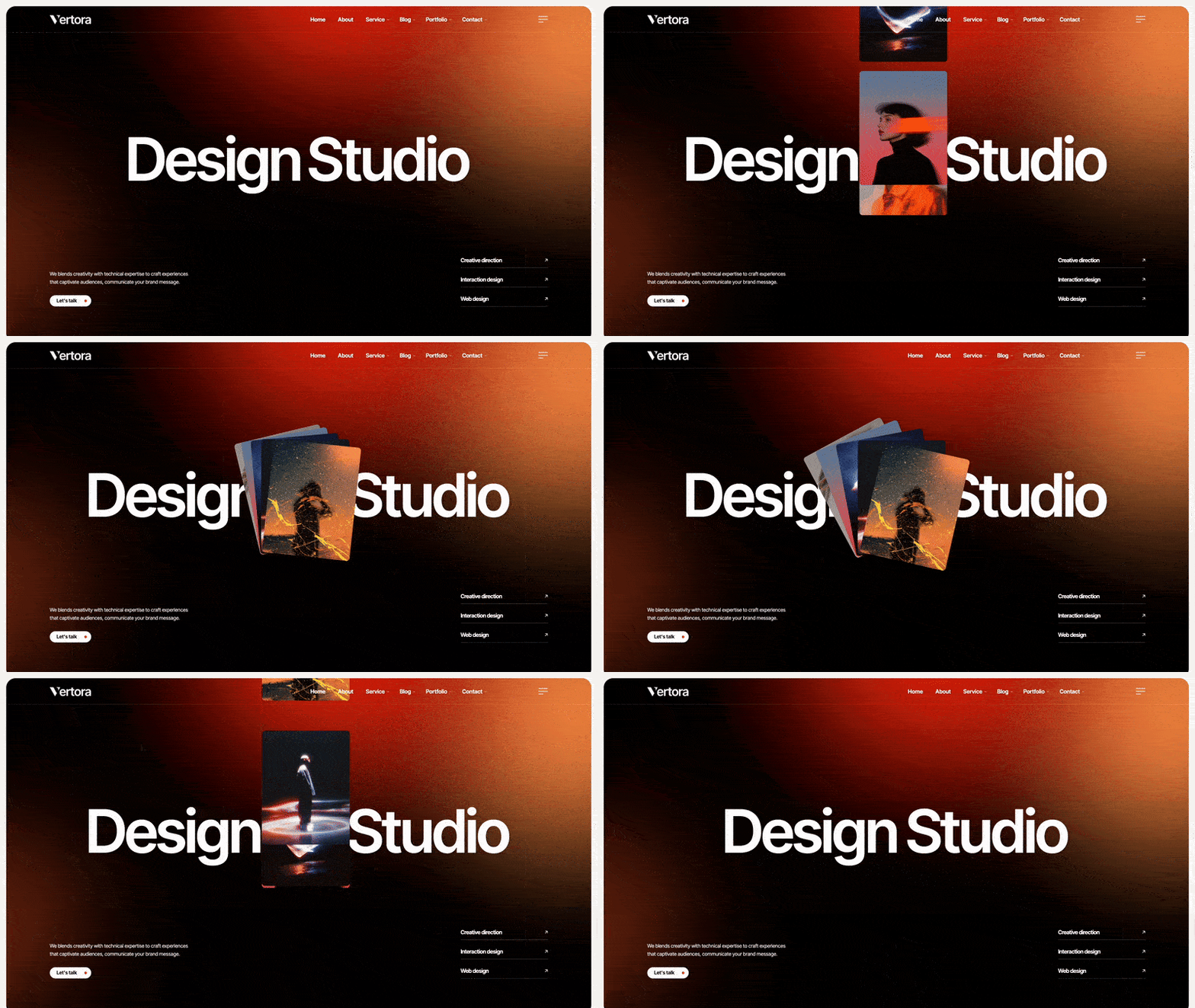
Vertora isn't trying to be everything to everyone. It's built for agencies that do creative work—branding, design, strategy—and need to show it off without being obnoxious about it. The template hits that sweet spot between "look at our cool work" and "we're professional enough to handle your budget."
Vertora uses bold typography and a grid system that lets your work breathe. The color scheme is neutral enough to adapt to any brand while still feeling designed. Animations are there but they don't assault you—they guide attention to what matters.
The portfolio filtering works smoothly. Clients can click "Branding" and actually see just branding work, not your entire project history mixed together.
Pick Vertora if you're a creative agency that needs to show work. Not describe it, show it. If your value comes from what you've made for other clients, this template gives you the stage to prove it. Works especially well for agencies with 10+ portfolio pieces that demonstrate range.
Price: $99 USD
Best for: Photography agencies, video production, creative studios
Rating: ⭐⭐⭐⭐⭐ (5/5)
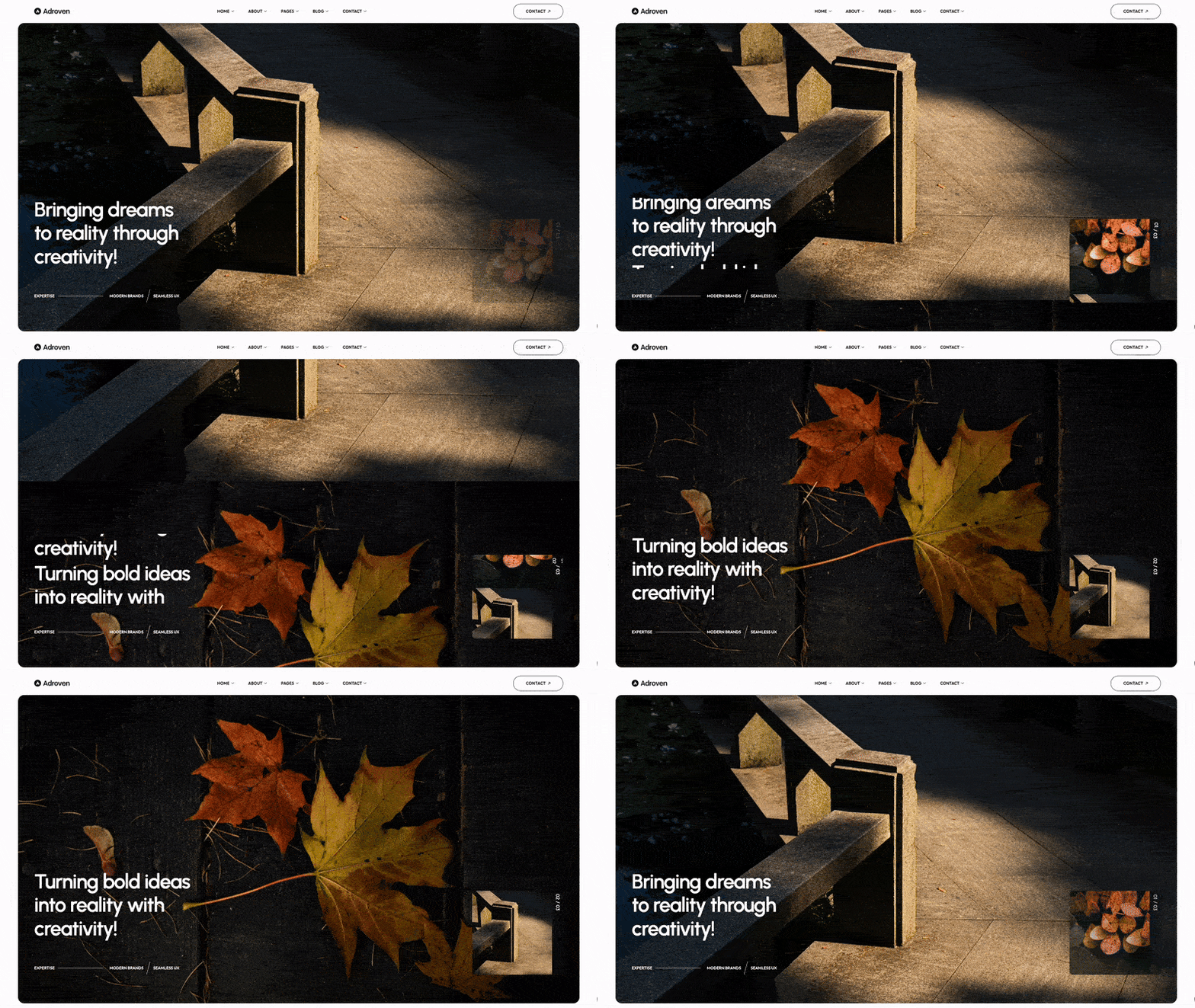
Adroven is for agencies where visuals do the talking. If you're in photography, video production, or any field where showing beats telling, this template gets out of the way and lets your work shine. The design is bold without screaming for attention—it just frames your projects perfectly.
Adroven leans into white space and lets visuals dominate. The typography is oversized and confident. Scrolling feels smooth—there's a rhythm to how content reveals that keeps people engaged without gimmicky animations.
The template handles both photo and video portfolios well. Videos load progressively, so your site doesn't crawl even with heavy media.
Adroven works for agencies where the work speaks louder than words. If clients hire you because they saw something you made and went "I want that," this template puts your best work front and center. Perfect for visual agencies with a portfolio that sells itself.
Price: $129 USD
Best for: Strategy-focused agencies, consulting agencies, full-service shops
Rating: ⭐⭐⭐⭐½ (4.5/5)
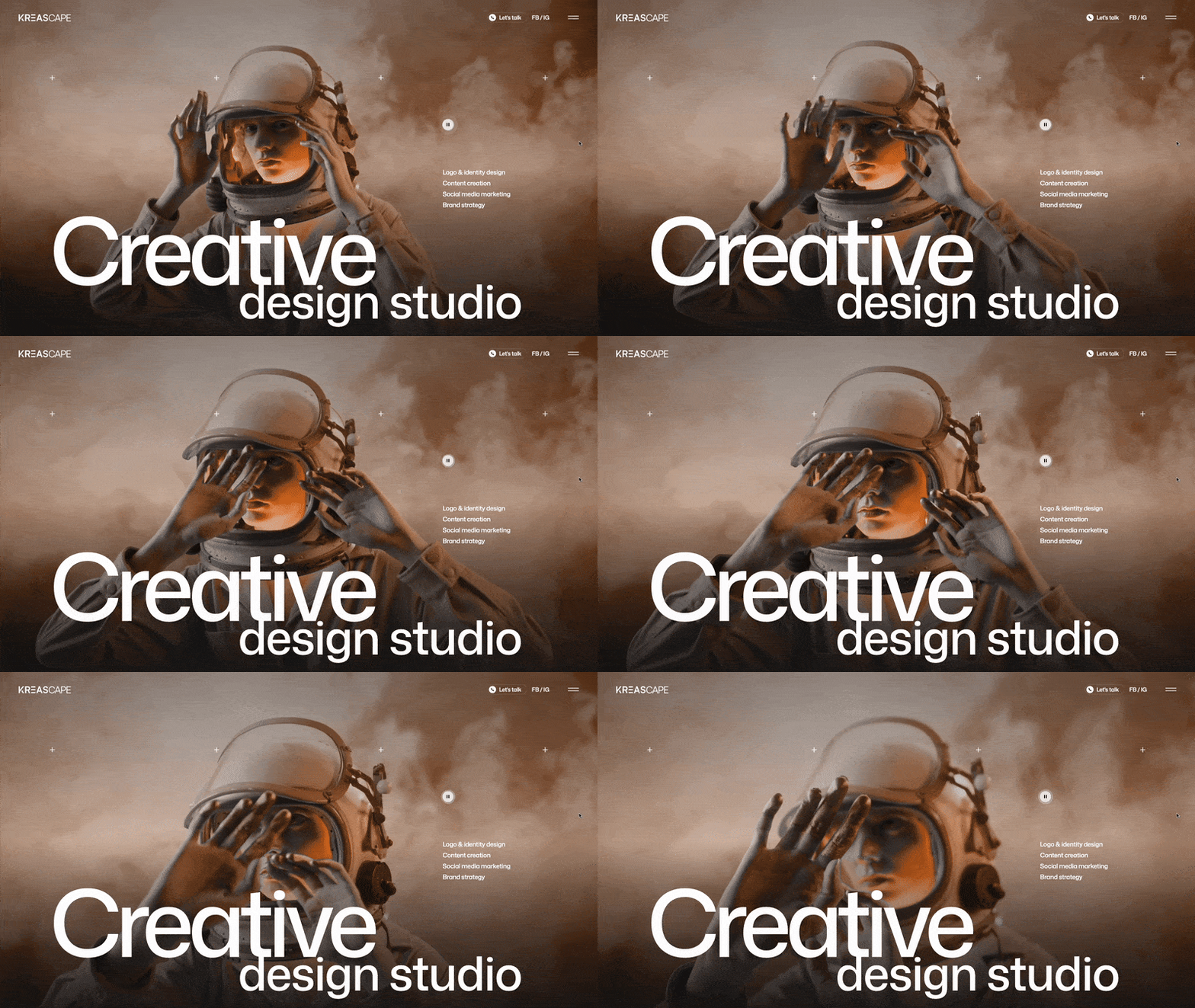
Kreascape is built for agencies that sell thinking, not just making. If you do strategy, consulting, or full-service work where process matters as much as output, this template helps you explain your approach without boring people to death. It balances visual portfolio with strategic storytelling.
Kreascape uses a more structured layout that communicates professionalism and strategic thinking. The design feels deliberate—every section has a purpose. It's less "look at this cool thing" and more "here's how we solved this problem."
The template includes diagrams, process flows, and data visualization options. If you need to show before/after metrics or explain complex strategies, it's got you covered.
Choose Kreascape if you're selling strategy alongside execution. When clients hire you for how you think, not just what you make, this template helps you demonstrate both. Works well for agencies transitioning from pure execution to strategic partnerships.
Here's what happens with custom development: you brief the agency (ironic, right?), they show you mockups in three weeks, you give feedback, they revise, you finally approve, development starts, you realize something doesn't work, they fix it, testing, revisions, and boom—four months gone.
When looking at affordable webflow templates for design agencies, you're looking at a different timeline: buy template Friday, customize over the weekend, add your projects Monday, launch Tuesday. Done.
This speed matters. Every week your site looks amateur is a week you're losing clients to agencies with better online presence.
Custom agency websites run $15,000-$75,000. That's a lot of billable hours you could spend on paying clients instead of your own site.
Templates cost $99-$149. Even after customization (maybe $1,000-$2,000 if you hire help), you're under $2,500 total. That's one small project worth of budget.
The math makes sense.
Template designers study agency sites for a living. They know what converts. What makes clients reach out. What builds trust.
You get all that research baked in. The CTAs are where they should be. The portfolio filtering works how people expect. The case study structure follows proven patterns.
Are you selling finished work or your process? Visual output or strategic thinking? Quick turnarounds or deep partnerships?
If clients hire you because they saw something you made: Vertora or Adroven
If clients hire you for how you solve problems: Kreascape
How many projects can you actually show? Be honest.
Under 5 projects: You might struggle to fill these templates. Consider waiting or mixing in personal projects.
5-10 projects: Perfect. You'll have enough to show range without overwhelming.
10+ projects: These templates will showcase your experience well.
Some agencies have writers. Others... not so much.
If writing isn't your thing, pick visual-heavy templates like Adroven. They require less copy to look complete.
If you can write case studies, Kreascape's structure helps you tell those stories effectively.
Don't redesign. Customize.
Day 1-2: Colors and fonts to match your brand
Day 3-4: Add your best 6-8 projects
Day 5: Services page with your actual services
Day 6: About page with real team info
Day 7: Test everything, fix broken links, launch
That's it. Launch with that. Perfect comes later.
Safe to customize:
Colors, fonts, images, project content, team bios, service descriptions, contact info
Leave alone initially:
Layout structure, navigation organization, section order, animation timing, mobile breakpoints
The template structure works. Don't fix what isn't broken.
Nothing screams "template" like generic stock photos of diverse teams high-fiving in modern offices.
Use real photos. Even iPhone shots of your actual team beat stock imagery. Clients want to work with real people, not stock models.
I've seen agencies launch with the template's example projects still visible. Don't do this. Replace every single demo project with your real work. If you don't have enough projects, show fewer. Three strong real projects beat ten fake ones.
Templates come with placeholder copy that's deliberately generic. Replace all of it. Every sentence should sound like your agency, not some template designer's best guess at agency-speak.
Good project photography transforms templates. Invest in proper shots of your work. If you're showing a website, get clean screenshots with nice browser frames. If it's branding, shoot physical deliverables in good light.
The best webflow templates for creative agencies are designed to showcase great work. They can't fix mediocre photography.
Your about page shouldn't sound like a corporate press release. Write how you talk to clients. Be specific about what you actually do. Skip the buzzwords.
"We're a full-service creative agency leveraging synergistic solutions" = Bad
"We design brands and websites for companies that want to stop looking boring" = Better
Every template includes case study layouts. Use them. Don't just show work—explain it.
Problem: What challenge did the client face?
Approach: How did you solve it?
Results: What changed?
Clients don't care about your process unless it leads to outcomes. Show both.
Before you publish:
Be real about this. Templates aren't always the answer.
Skip templates if:
For everyone else? Templates work.
Your website doesn't need to be perfect. It needs to be good enough to win the next client. Then the one after that. Then keep winning clients while you're busy doing the work.
The best webflow templates for creative agencies give you that "good enough" immediately. Professional design, proven layouts, and portfolio systems that work. You just add your projects and personality.
Perfect can wait. Get launched. Win work. Make money. Update your site when you have time.
The agencies beating you right now? They're not waiting for the perfect custom site. They're using templates that work and spending their time finding clients instead of perfecting their homepage.
Browse our complete collection of agency templates. Find the one that fits your work, customize it this weekend, and launch next week.
Get unlimited access to 170+ templates →

%201.svg)


.svg)