.webp)
Your practical guide to choosing webflow consulting website templates that actually win clients. Real reviews, no BS comparisons, and advice from someone who gets how consulting businesses work.
Here's the awkward truth about consultant websites: most of them look like they were built in 2012 by someone's nephew who "knows computers." You're charging clients $300/hour to fix their businesses, but your own site looks like you can't figure out basic design.
I've watched this play out dozens of times. Smart consultants—people who've transformed entire companies—sitting on websites that make them look amateur. Why? Because they keep waiting for the "perfect" custom site that costs $40,000 and takes eight months to build.
Meanwhile, their competitors are closing deals with clean, professional sites they launched in a week using the best webflow templates for consulting firms. Templates that cost less than one billable day but look like they cost a fortune.
Let's talk about what actually works.
You're not selling products. You're not selling software. You're selling expertise, trust, and outcomes. Your website's job isn't to explain features—it's to make prospects think "these people understand my problem."
That's harder than it sounds. A potential client lands on your site. They're probably comparing you to three other consultants. They're looking for proof you can actually help them. Can you show results? Do you understand their industry? Will they look smart bringing you in?
That's why professional webflow business consulting templates focus on credibility markers, not flashy animations. Client logos, case studies, specific outcomes, testimonials from people whose titles matter. The website equivalent of a firm handshake and a track record.
Price: $149 USD
Best for: Marketing agencies, growth consultants, digital advisory firms
Rating: ⭐⭐⭐⭐⭐ (5/5)
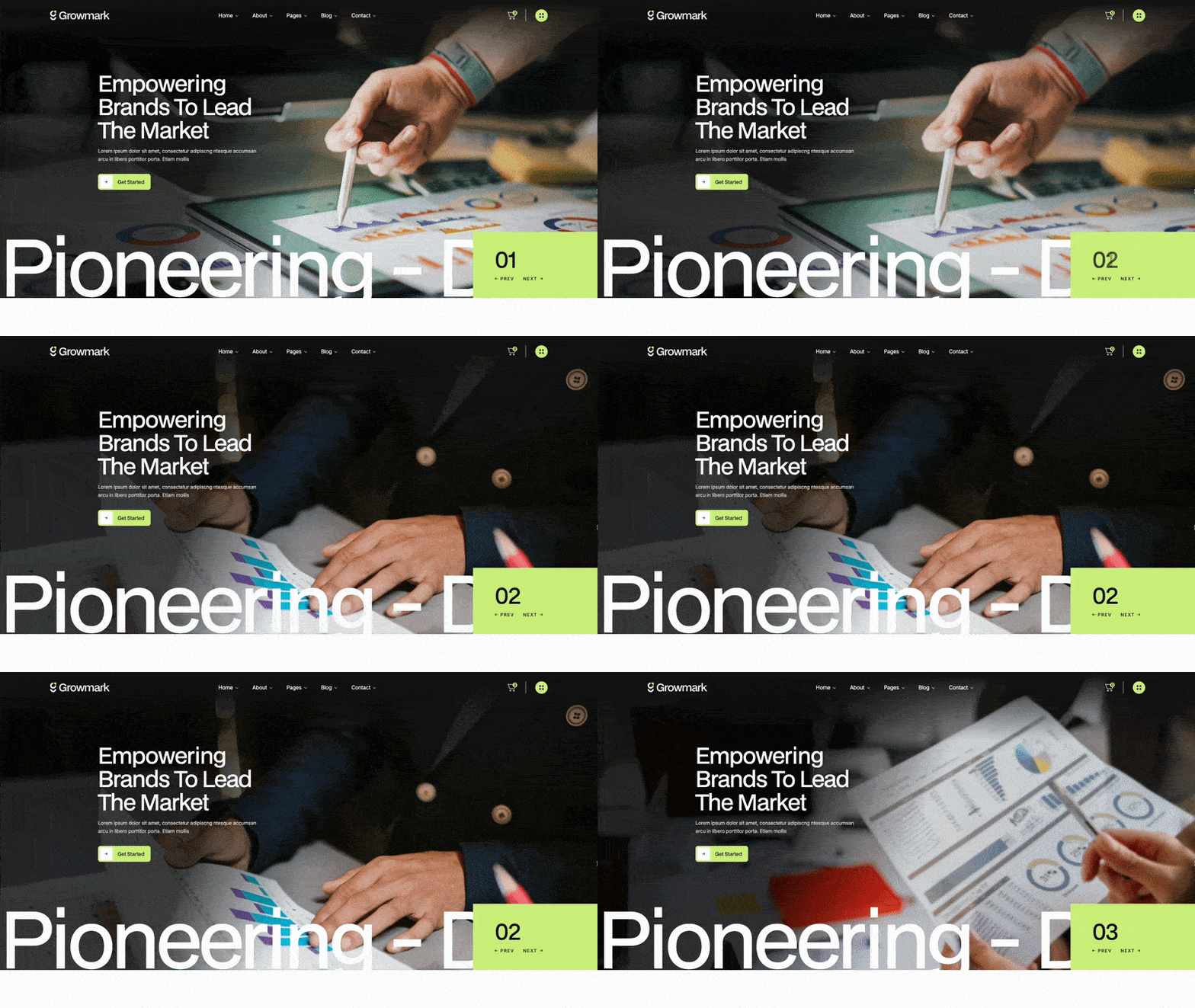
Growmark doesn't mess around. It's built for consultants who help businesses grow—whether that's through marketing, sales strategy, or digital transformation. The template makes you look like you've been doing this for 20 years, even if you hung out your shingle last month.
Growmark uses professional typography and a layout that says "we're serious about business." The color scheme defaults to blues and neutrals—trustworthy, not flashy. Three homepage variations give you options depending on whether you're going for established firm or modern boutique.
The service pages are the star here. They're structured to explain what you do, why it matters, and what results clients can expect. No consultant-speak that nobody understands.
Pick Growmark if you're helping businesses grow and need to prove you can actually do it. Works especially well for consultants who've generated measurable results—increased revenue, improved conversion rates, faster growth. The template gives you space to show those numbers in ways that matter to prospects.
Price: $129 USD
Best for: Strategic consultants, brand advisors, creative service providers
Rating: ⭐⭐⭐⭐⭐ (5/5)
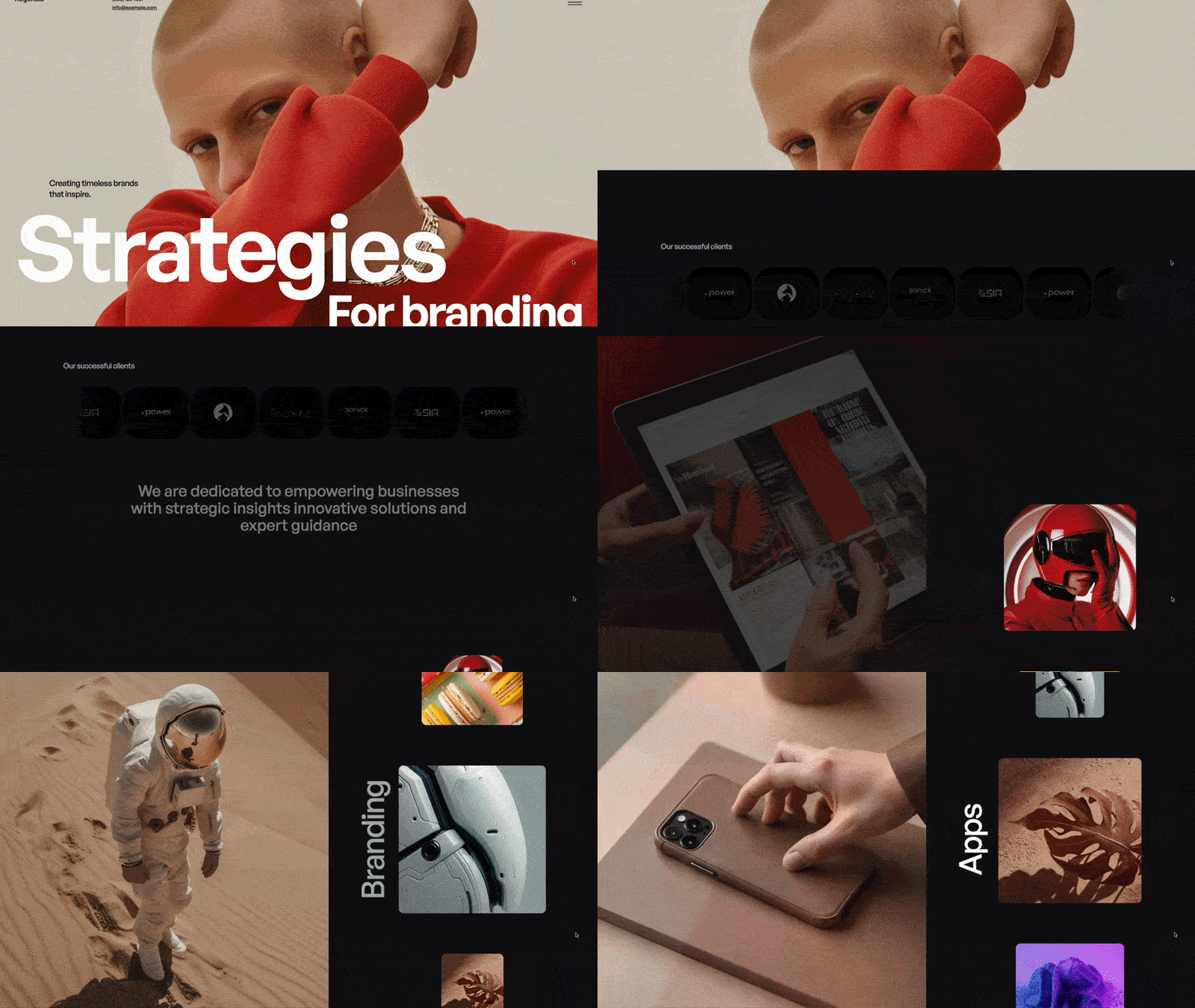
Regensia bridges consulting and creative work. If you do brand strategy, positioning, or any consulting that requires both thinking and making, this template gets it. You can showcase strategic frameworks alongside the work that came from them.
Regensia feels modern without trying too hard. Clean typography, good use of white space, and a grid system that organizes information without feeling rigid. The template works equally well for showing strategic frameworks or final deliverables.
The case study layouts let you mix text, images, and data visualizations. You can explain your strategic thinking while showing what came from it.
Choose Regensia if your consulting work produces tangible outputs. Brand strategies that become actual brands. Business plans that become real companies. Transformation initiatives that people can see. The template helps you show both the thinking and the results.
Price: $129 USD
Best for: Business consultants, financial advisors, professional services
Rating: ⭐⭐⭐⭐½ (4.5/5)
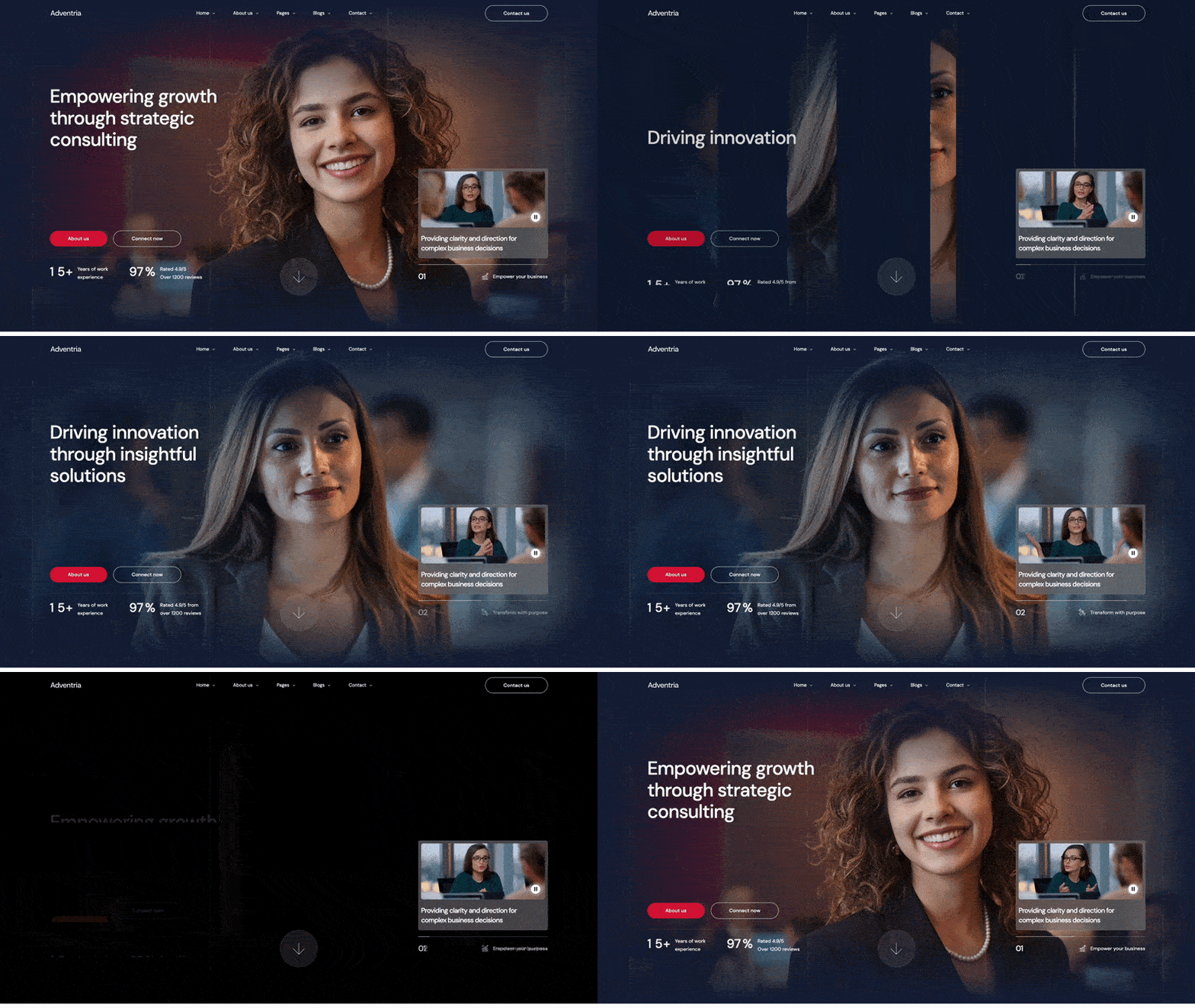
Adventria is for consultants who need to look established. If you're advising on serious business issues—finance, operations, M&A, organizational design—this template communicates the gravitas clients expect. Professional without being boring.
Adventria uses a structured, professional design that says "we've been doing this a while." The typography is confident but not aggressive. Layouts are clean and organized—information hierarchy is obvious.
The template includes subtle animations that add polish without distraction. Three homepage options let you choose between corporate-serious and boutique-approachable.
Pick Adventria if you're consulting on serious business problems where clients need to feel confident in your credibility. Works well for consultants transitioning from corporate roles or building practices in finance, operations, or strategy. The template positions you as the established expert you are (or want clients to think you are).
Custom website development for consultants usually goes like this: you explain what you do (which takes forever because consulting is hard to explain), the agency tries to understand it, they show mockups that miss the point, you give feedback, they revise, repeat this six times, then development starts, then something breaks, then launch date gets pushed back three times.
Total time: 4-6 months. Total cost: $30,000-$75,000.
Meanwhile, affordable webflow templates for consultants let you launch in 1-2 weeks for under $200. Not "good enough for now" launched—actually professional launched.
You're a consultant. Your time is worth money. Spending three months obsessing over website design means you're not finding clients or doing billable work.
Templates let you check "professional website" off your list and get back to consulting. Update it when you have time. Add case studies as you finish projects. Perfect it later. Good enough now beats perfect never.
These templates understand consulting sales. The CTAs aren't "buy now"—they're "schedule consultation" and "request proposal." The content structure supports the long decision cycles. The credibility markers address the specific trust issues consultants face.
Someone who builds consulting sites for a living designed these. You get that expertise baked in.
Are you the data-driven consultant with spreadsheets and frameworks? Or the transformation consultant who gets in the trenches? Your template should match your approach.
Analytical consultants: Adventria
Growth-focused consultants: Growmark
Strategic + creative consultants: Regensia
SMB clients care about different things than enterprise buyers.
Small business clients want to see that you get their problems. Clear language, practical case studies, straightforward pricing.
Enterprise clients want to see that you can handle complexity. Industry expertise, notable client logos, sophisticated case studies.
Pick the template that speaks to your actual buyers.
Be honest: how much content do you actually have?
Under 3 case studies: Pick templates with strong service pages that don't rely only on portfolio.
3-6 case studies: Any of these templates will work.
6+ case studies: You'll fill these templates well and look established.
Day 1-2: Brand basics (colors, fonts, logo)
Day 3-4: Write service descriptions for your top 3 offerings
Day 5: Add your 2-3 best case studies
Day 6: Team/about page with real info
Day 7: Test forms, fix links, launch
That's enough. Launch with that. Add more case studies later. Perfect your positioning over time. Get clients first.
Change immediately:
Colors, fonts, your actual services, your real case studies, team bios, contact info, calls-to-action
Leave alone initially:
Section order, navigation structure, page layouts, animation timing, mobile breakpoints
The template structure works. Don't fix what isn't broken.
"We help companies optimize performance through strategic initiatives"—what does this actually mean? Nobody knows.
Be specific. "We help SaaS companies increase trial-to-paid conversion rates" is better. "We helped three SaaS companies increase conversion by an average of 43% over six months" is even better.
You're asking clients to pay you to solve expensive problems. Show you've solved similar problems before. Not "we have 20 years experience"—show actual results with real numbers.
Even if you can't name clients, you can show outcomes. "Helped a Series B SaaS company reduce churn from 8% to 3% over eight months" works.
Cut the MBA buzzwords. "Synergies," "paradigms," "value-add"—this language makes clients' eyes glaze over.
Write how you talk. Explain problems like you would to a friend. Use examples. Be specific about what you actually do.
Nothing personalizes a template faster than real case studies. Not made up examples—actual projects you've done.
Structure: Problem the client faced → Your approach → Specific results → What they said about working with you
Even one strong case study makes you look real. Three makes you look established.
Templates come with placeholder copy. Replace every word. Your about page should sound like you, not some template designer's guess at consultant-speak.
If you're the straight-talking consultant who cuts through BS, write that way. If you're the thoughtful advisor who asks good questions, write that way. Be yourself.
Don't try to redesign everything. Pick one section—maybe your service pages or your homepage—and really make it yours. Custom images, specific frameworks, your actual methodology.
One truly custom section makes the whole site feel unique. Ten half-customized sections just look messy.
Before you go live:
Let's be real. Templates aren't always the answer.
Skip templates if:
For everyone else? Templates work great.
Your website has been on your todo list for how long? Six months? A year? Two years?
Meanwhile, you're losing clients to consultants with better online presence. Not better skills—better websites.
The best webflow templates for consulting firms let you fix this in a week. Professional design, proven structure, credibility built in. You just add your services and your proof.
Stop waiting for perfect. Launch good enough next week. Win clients this month. Update your site when you have time.
The consultants beating you? They're not waiting around. They're using templates that work and spending their time finding clients instead of perfecting their contact form.
Browse our complete collection of consulting templates. Pick one that matches your style, customize it this weekend, and start winning clients next week.
Get unlimited access to 170+ templates →

%201.svg)


.svg)